
What Noodle does
The iPhone app, feature by feature. The screens are from the real app with demo data.
Plans, not random lessons
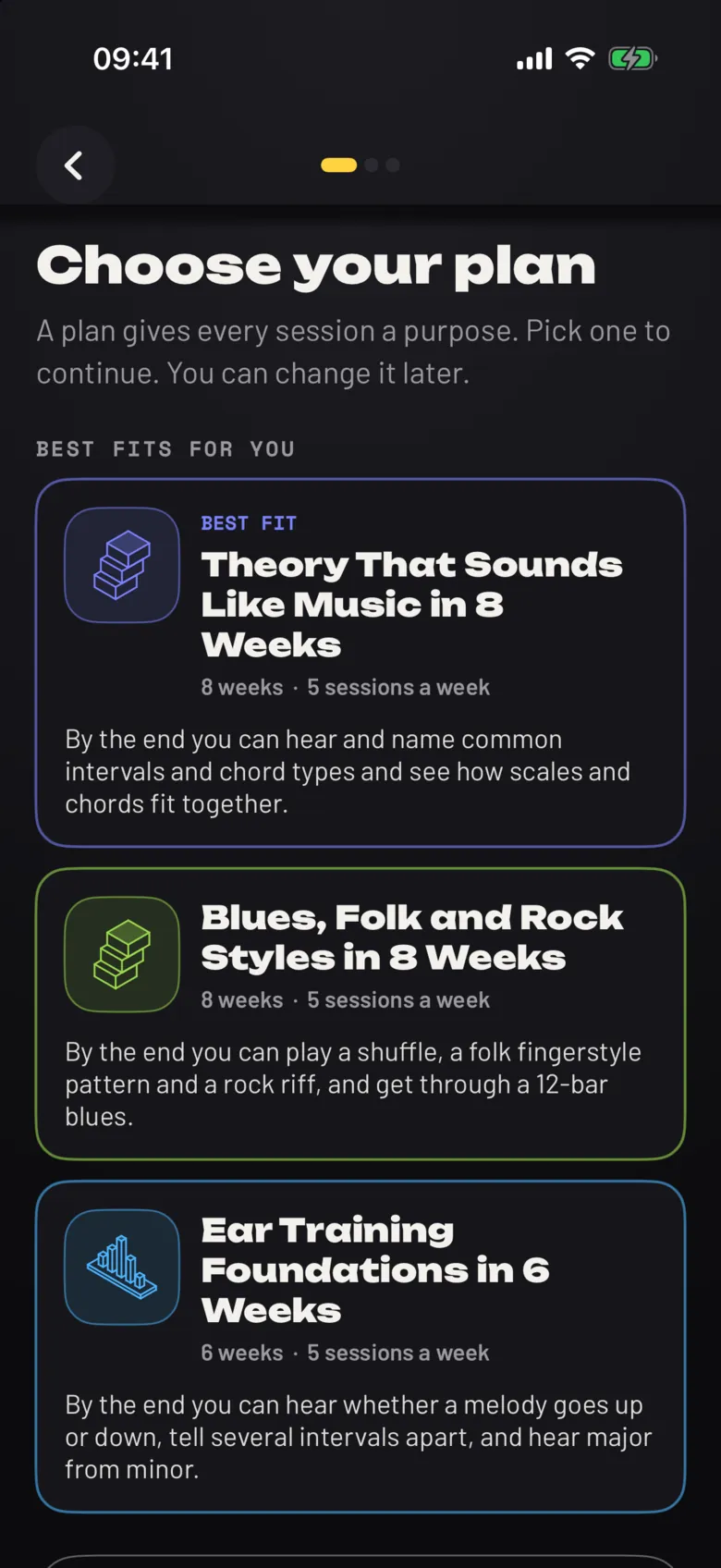
There are 14 plans, from First Chords in 4 Weeks to jazz harmony for guitarists. Each one has a goal, a week-by-week shape, a checkpoint partway through and a short exam at the end.
A short placement quiz sets where you start, from your skill level and how confident you feel about each topic. You can change plan later.
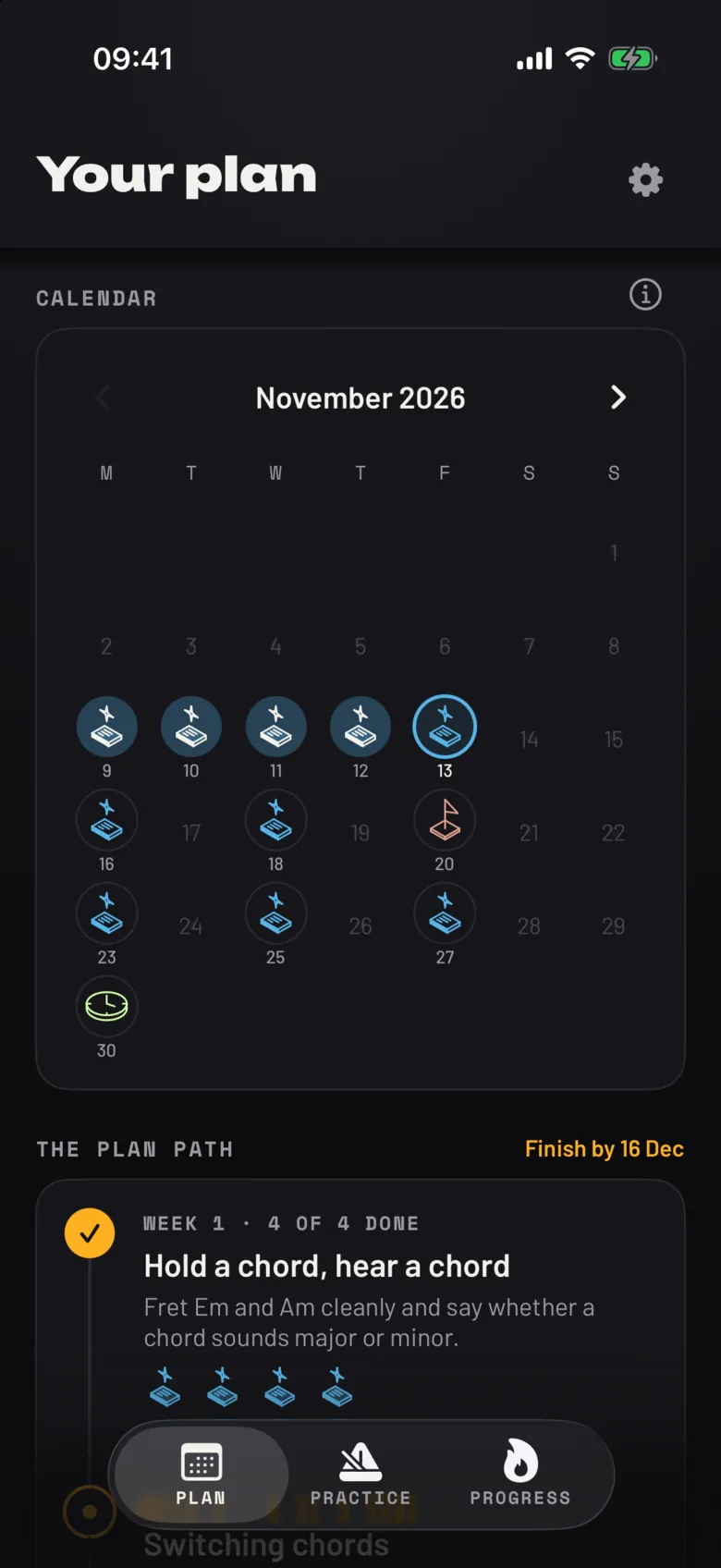
A calendar that forgives a missed day
Your sessions sit on a calendar with the checkpoint and the exam marked, and the plan shows a finish date. If you fall behind, the sessions after the gap slide forward and the finish date moves with them.
Behind schedule, you can catch up a little, skip a review, or reset the dates. All of it is optional, and nothing resets on its own.
One idea per session, in the time you have
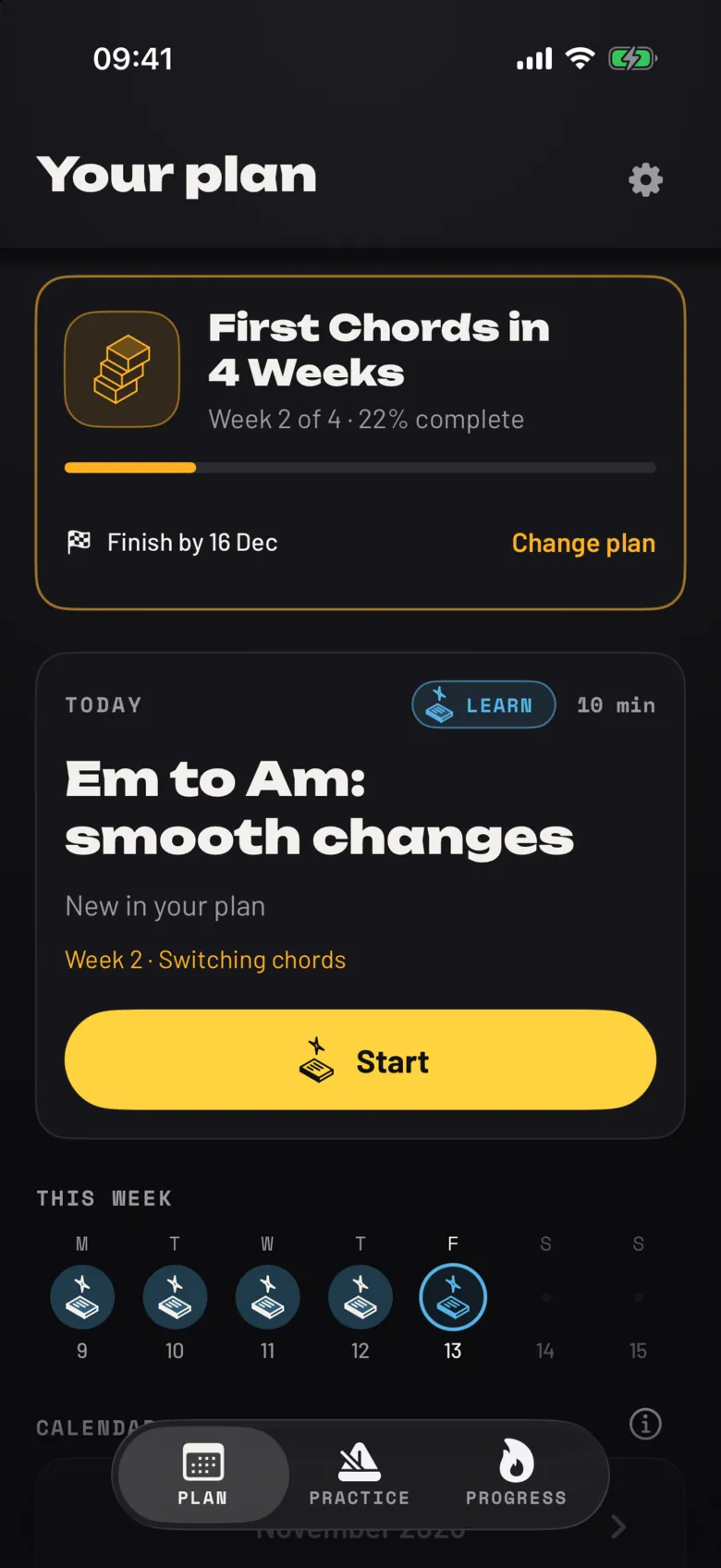
Every session covers one concept: learn it, try it, check yourself. You pick 5, 10 or 15 minutes. A longer session gives you more time with the same idea, not a different one.
- The lesson, learn and try it3:30
- Check yourself1:00
- Say how sure you are0:30
- The lesson, learn and try it4:00
- Go further, one step past the idea3:00
- Check yourself2:00
- Say how sure you are1:00
- The lesson, learn and try it4:30
- Go further, one step past the idea3:30
- Use it, a short phrase or a song you know2:30
- Check yourself3:00
- Say how sure you are1:30
Hints that do not give it away
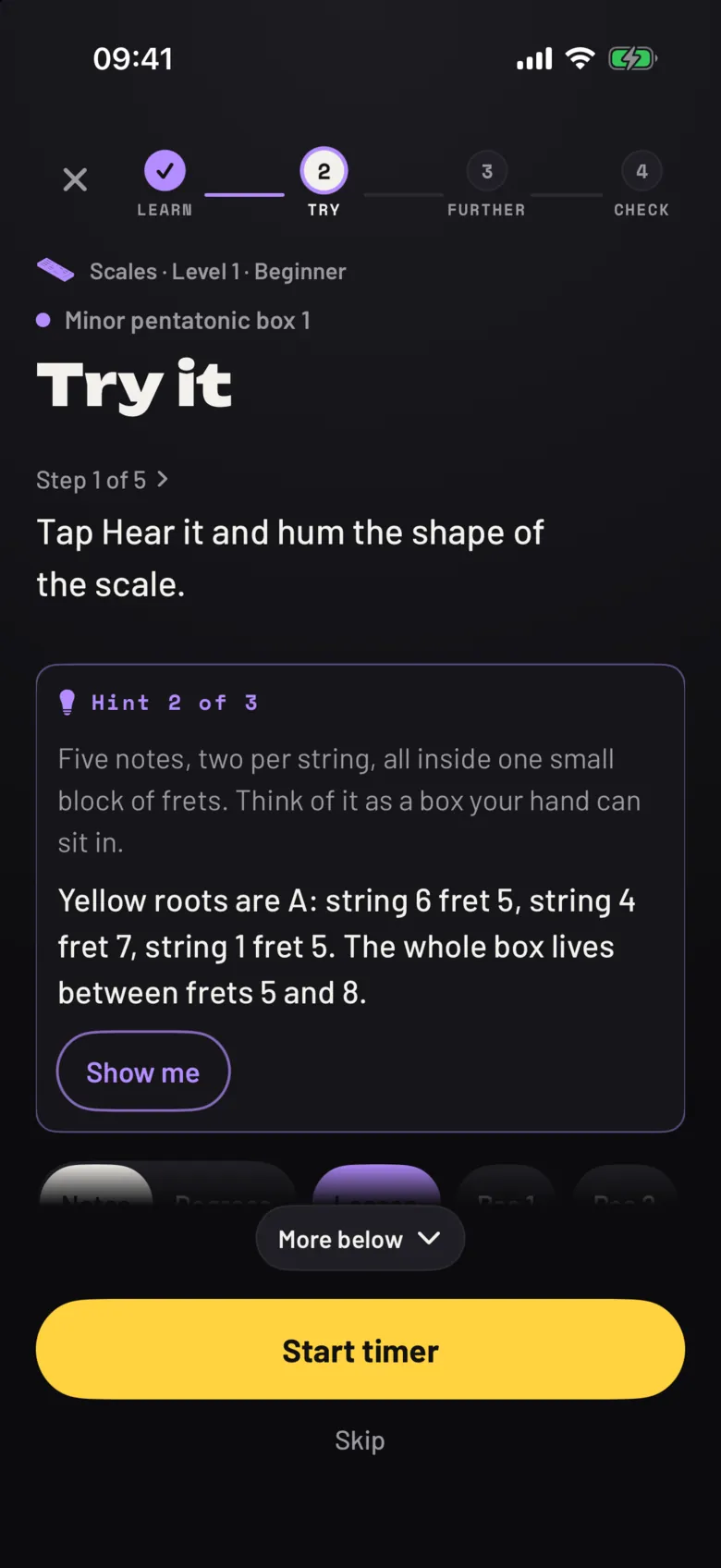
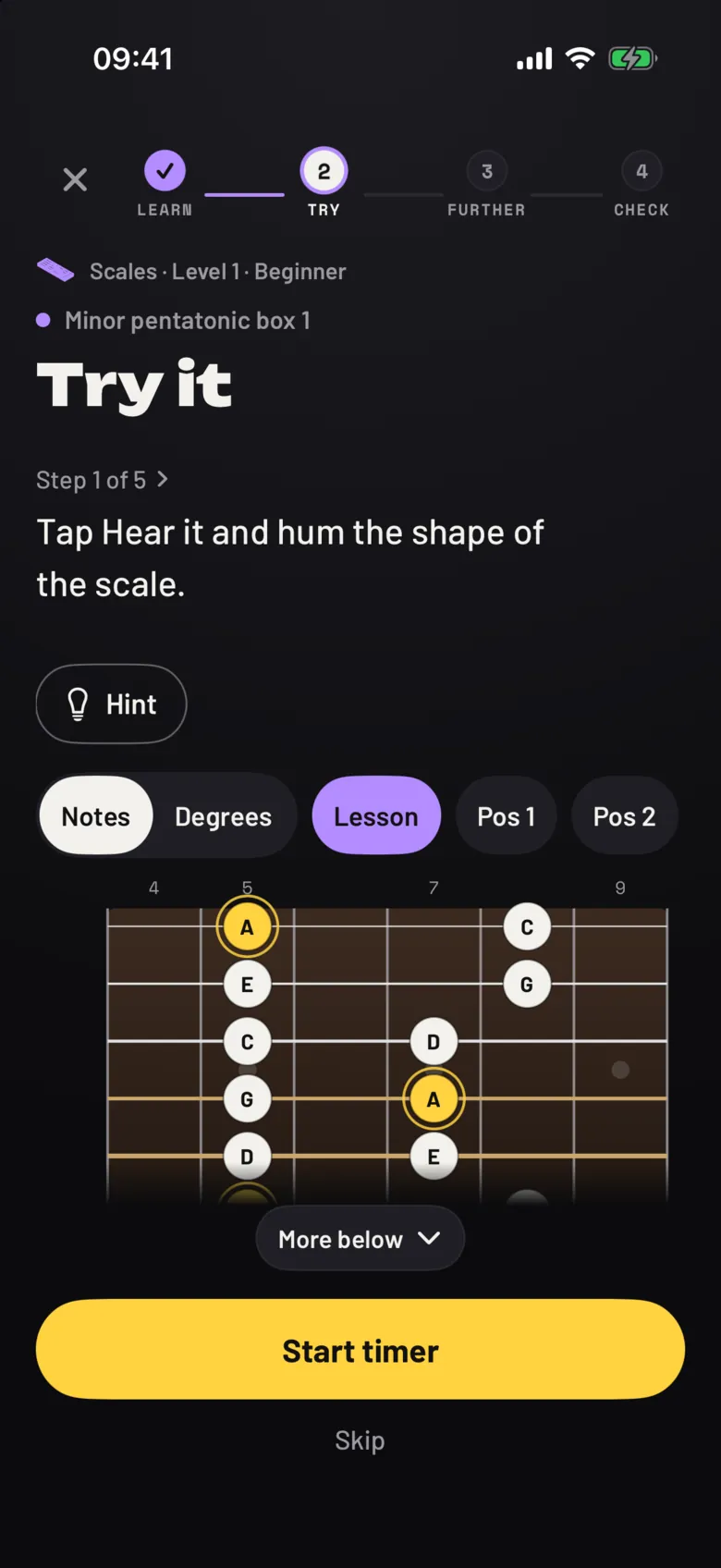
A Hint button sits under the step in Try it, Go further and Use it. The first hint is a nudge that restates the key idea. The second rings the notes on the fretboard and says what to look at, and for strum lessons offers a slowed-down version at 70 percent tempo. The third shows the worked answer.
In a scored quiz, an answer you get right after the second or third hint does not count towards the 80 percent pass mark. The cold check at the end of a lesson has no hints at all.
A fretboard you can tap and hear
Every note on the fretboard is a button. Tap one and you hear that pitch, in the lesson tuning. Switch between note names and degrees, and for scale lessons step through positions along the neck. The notes for the current step are lit; the rest are dimmed.
It is the same idea as the strings on the home page.
Review that comes back when you are about to forget
A lesson you have learned returns after 1, 3, 7, 14, 30 and 60 days, as long as you keep getting it right. New lessons keep arriving, so reviews never take over.
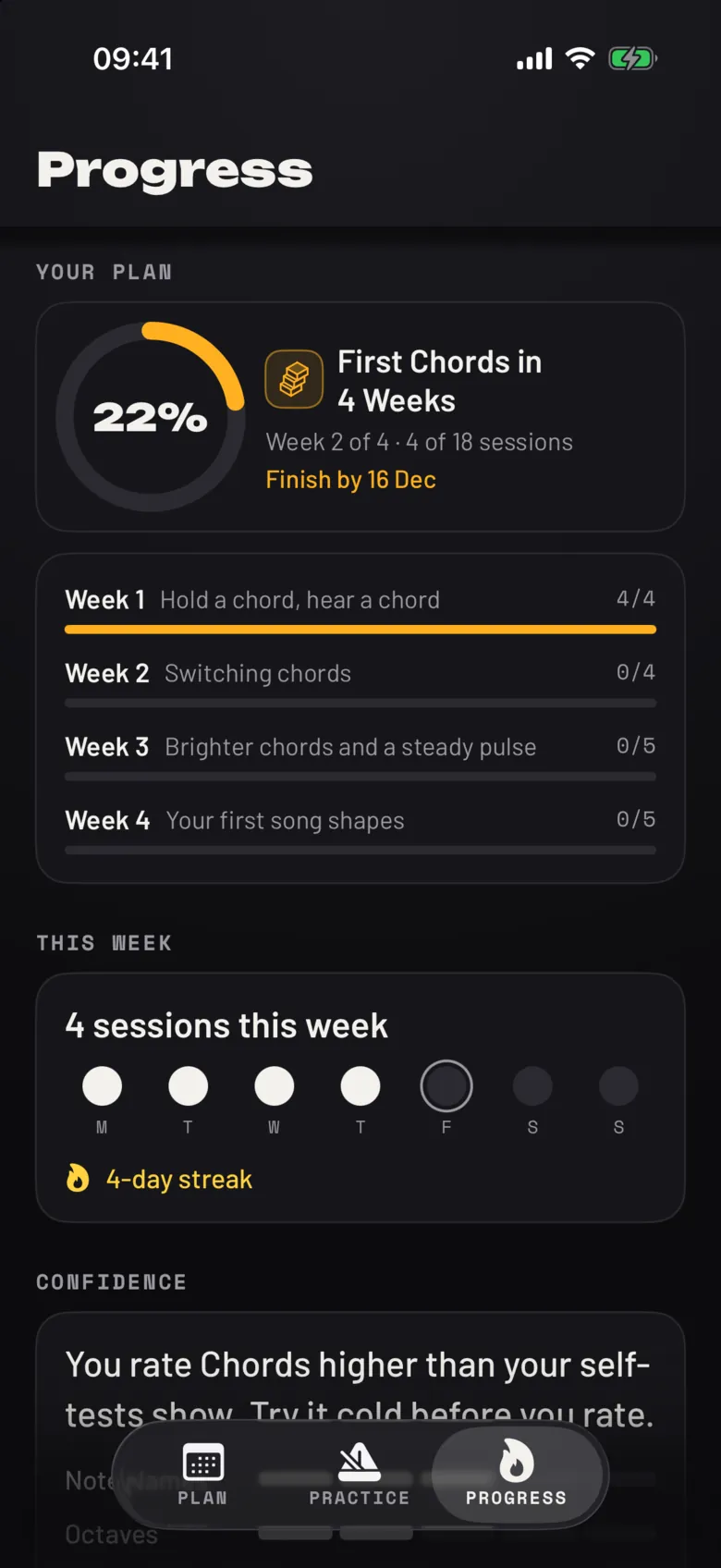
The Progress tab shows the plan ring, your week by week, your streak, quiz and exam results, and how confident you are on each topic.
Practise on your own terms
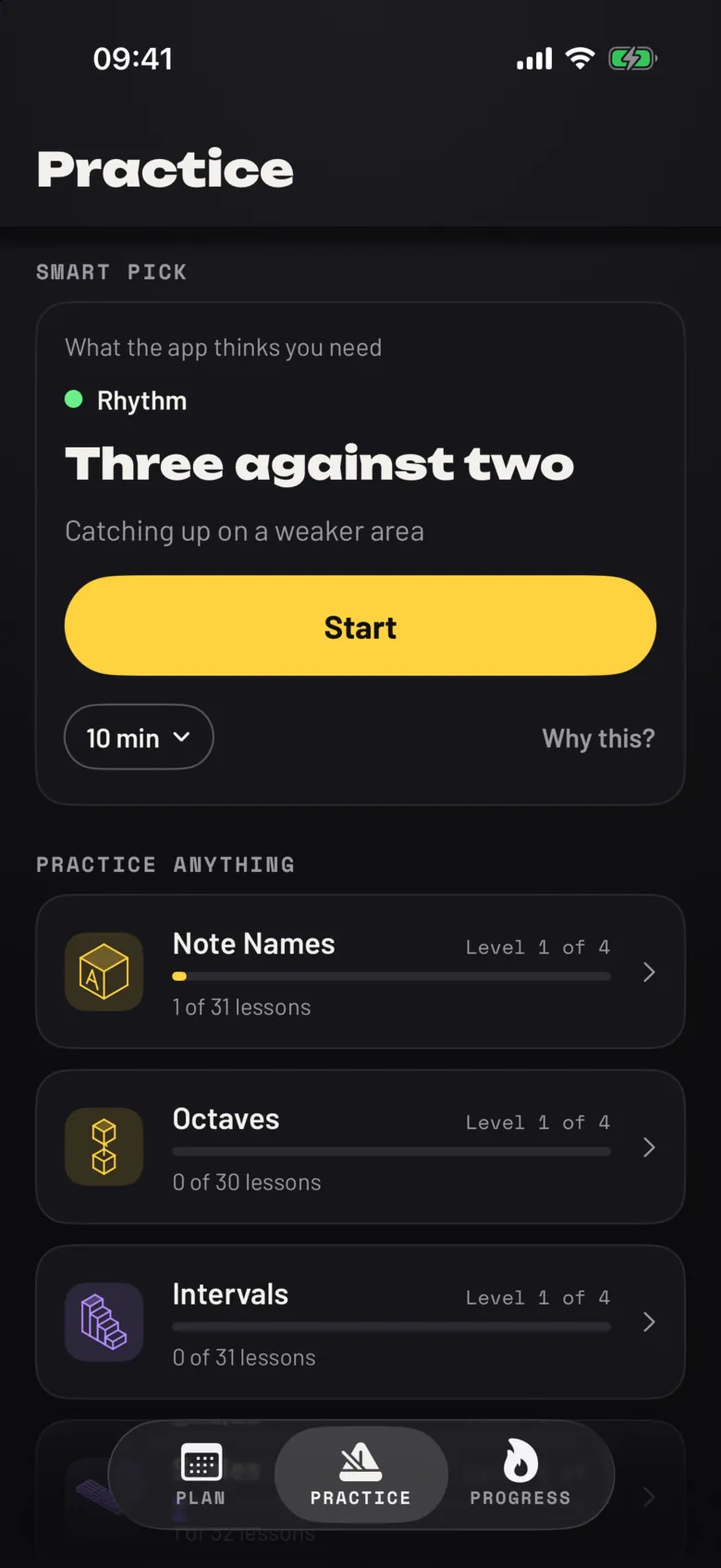
Outside your plan there is free practice: a smart pick, or any of the 11 topics (chords, scales, rhythm, ear training, technique, intervals, note names, octaves, improvisation, repertoire and styles), each with a level and a progress bar. There are 359 lessons in all.
What it leaves out
- It does not listen to you play and does not use the microphone. Checks that involve playing are self-assessed.
- It does not show ads, and you can use it without an account.
- A missed day does not reset your plan.
Noodle is an iPhone app
It runs on iOS 18 or later.
An iPhone app